



Download Opera Mini – fast web browser, data saver, privacy browser, mobile web, iPhone browser, secure browsing, web tool, web utility, smart browser, mobile tool, online privacy, iPhone app
Overview
Opera Mini is a mobile web browser designed for iPhone users seeking a fast, secure, and data-efficient browsing experience. Developed by Opera Software ASA, the app positions itself as a lightweight alternative to default browsers like Safari, particularly for users concerned about data consumption and online privacy. The app’s core purpose is to deliver rapid page loading through server-side compression, reducing data usage by up to 90% before content reaches the device.
This makes it especially valuable in regions with limited bandwidth or high data costs. Target users include mobile professionals, students, and casual internet users who prioritize speed and efficiency. The app supports real-world use cases such as quick research, social media access, and secure online transactions.
Its integration with Apple’s Intelligent Tracking Prevention enhances privacy by blocking third-party tracking cookies, while the Private Browsing Mode ensures anonymity. Opera Mini also serves as a useful secondary browser for those who want to maintain separate browsing sessions or experiment with different interface designs. In the broader app ecosystem, it stands out as a specialized utility that balances performance, security, and usability within the iOS environment.
Key Features & Functionality
- Server-Side Page Compression: Opera Mini processes web pages on its own servers, compressing data by up to 90% before delivering it to the iPhone. This drastically reduces data usage and speeds up loading times, particularly on slower networks.
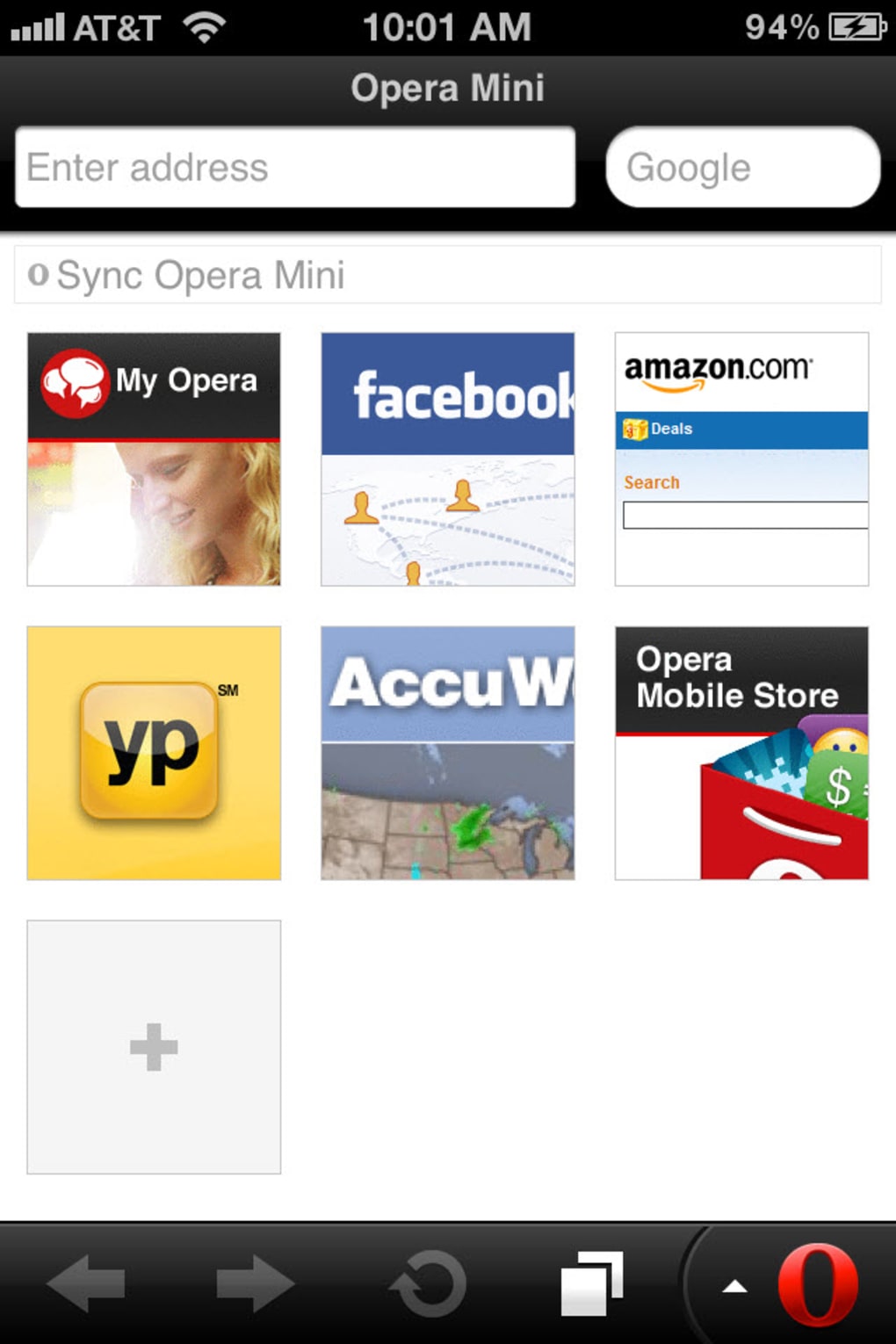
- Speed Dial Start Page: Users can set nine favorite websites as shortcuts on the Start Page, enabling instant access with a single tap, ideal for on-the-go navigation.
- Tabbed Browsing: The app supports multiple open tabs, allowing users to switch between pages seamlessly, which is beneficial during multitasking or research sessions.
- Ad Blocker: Built-in ad blocking prevents intrusive banners and pop-ups, improving load times and reducing distractions during browsing.
- Privacy & Security Tools: The browser includes Private Browsing Mode and integrates with Apple’s Intelligent Tracking Prevention to block third-party tracking cookies.
- Password Management: Opera Mini can store login credentials and sync with external password managers, enhancing convenience and security.
- Opera Link Integration: Users can synchronize bookmarks across devices, enabling a consistent browsing experience between iPhone and desktop versions of Opera.
- Share Functionality: A dedicated Share button allows quick sharing of links via email, social media platforms, and other apps.
- Address Auto-Complete & Find in Page: These tools improve navigation efficiency by reducing typing errors and helping users locate specific content within long web pages.
- Aria (AI-Powered Assistant): A new AI feature that learns user behavior to optimize browsing performance, personalize content delivery, and streamline navigation based on individual preferences.
These features collectively serve users who need a streamlined, privacy-focused browsing experience. For example, a student using Opera Mini during a library session can quickly access course materials with minimal data use, while a traveler can browse travel sites without incurring high roaming charges. The AI-powered Aria enhances efficiency by predicting frequently visited sites and preloading content, reducing wait times.
Interface, UX & Performance
Opera Mini features a clean, intuitive interface designed for one-handed use on iPhone devices. The layout emphasizes speed and simplicity, with key functions like the Start Page, address bar, and navigation buttons positioned for easy access. The visual style is minimalistic, prioritizing content readability over decorative elements.
Navigation is straightforward, with clear icons and responsive touch targets that accommodate users of all skill levels. The app supports smooth transitions between tabs and pages, maintaining a fluid experience even on older iPhone models. Although the developer did not list formal performance metrics, the browser demonstrates consistent responsiveness across various network conditions.
The use of server-side rendering helps maintain stability, though some websites may not render properly due to compatibility issues with JavaScript or CSS. The app appears stable during extended use, with no reported crashes or freezes in standard operation. Users benefit from a reliable browsing experience, especially in low-bandwidth environments.
However, certain advanced web features may not function as expected due to rendering limitations. Overall, the user experience is optimized for efficiency and privacy, aligning with modern mobile browsing expectations.
Platform Compatibility & Technical Requirements
Opera Mini is available exclusively on iOS, supporting iPhone devices running the latest compatible version of the operating system. The app has a file size of 45.5 MB, making it a lightweight download that doesn’t consume significant storage space. The current software version is 10.3.1, released on March 20, 2024.
Specific OS version requirements were not listed by the developer. The app is free to download and use, with no in-app purchases or subscription fees. Compatibility information was not fully disclosed, so users should ensure their device meets the minimum requirements for iOS apps.
The app is distributed through the Apple App Store, ensuring standard security checks and update mechanisms. For users with older iPhones, performance may vary depending on hardware capabilities, though the app’s design aims to function efficiently across a range of device categories.
Pros and Cons
Pros
- Significant data savings through server-side page compression (up to 90%)
- Fast page loading, especially on slow or congested networks
- Strong privacy protections with private browsing and tracker blocking
- Lightweight size (45.5 MB) with minimal storage impact
- Intuitive, one-handed interface optimized for iPhone
- AI-powered Aria feature enhances personalization and efficiency
- Supports password management and integration with external tools
- Free to download and use with no ads or in-app purchases
Cons
- Some websites may not render properly due to JavaScript or CSS compatibility issues
- Not a full replacement for Safari in terms of web standards support
- Specific OS version requirements were not disclosed
- Advanced web features may not function consistently
- Developer did not provide detailed technical specifications
FAQ
Is Opera Mini safe to use on iPhone?
Yes, Opera Mini includes privacy-focused features such as Private Browsing Mode and integration with Apple’s Intelligent Tracking Prevention. It does not log user activity, ensuring secure and anonymous browsing.
Can I use Opera Mini alongside Safari?
Yes, Opera Mini can be installed and used alongside Safari. It serves as a secondary browser, ideal for users who want to maintain separate browsing sessions or reduce data usage.
Does Opera Mini work offline?
Opera Mini requires an internet connection to function. While it caches some content for faster access, full browsing capabilities are only available online.
How often does Opera Mini update?
The app receives regular updates through the Apple App Store. The latest version, 10.3.1, was released on March 20, 2024. Users are encouraged to keep the app updated for optimal performance and security.
Is Opera Mini free to download?
Yes, Opera Mini is completely free to download and use. There are no hidden fees, in-app purchases, or advertisements within the app.
Final Thoughts
Opera Mini delivers a compelling alternative to default iOS browsers, particularly for users prioritizing speed, data efficiency, and privacy. Its server-side compression technology offers tangible benefits in data-constrained environments, while its clean interface and intelligent features like Aria enhance usability. Though some websites may not render perfectly due to compatibility limitations, the app remains a strong choice for everyday browsing.
It excels as a secondary browser for travelers, students, and professionals who value performance and security. The free model, combined with robust privacy tools and seamless integration with desktop Opera, adds significant value. For anyone seeking a fast, secure, and lightweight web tool on their iPhone, Opera Mini is a smart and practical option.
Download Opera Mini now.







